Just looking for someone to point me to a step-by-step tutorial for a command line CMake build not using mingw, WSL, or any other non-native Windows emulators, to build and package a C/C++ library under Windows 10.
One run-time having just dll files
Another full development including headers and .cmake files.
A non-zip file that can be taken to any other Windows 10 system and installed.
Not that the project should matter, but I’m working on BasisDoctrina. Haven’t done Windows development since Windows was fraudulently marketed as an operating system when it was just GUI-DOS. (Pre-Windows NT for those not old enough to remember.) Been doing Linux packaging and development for a long time. This library will need to also run on Windows, so before there is really anything to it, I want to get the build plumbing in place.
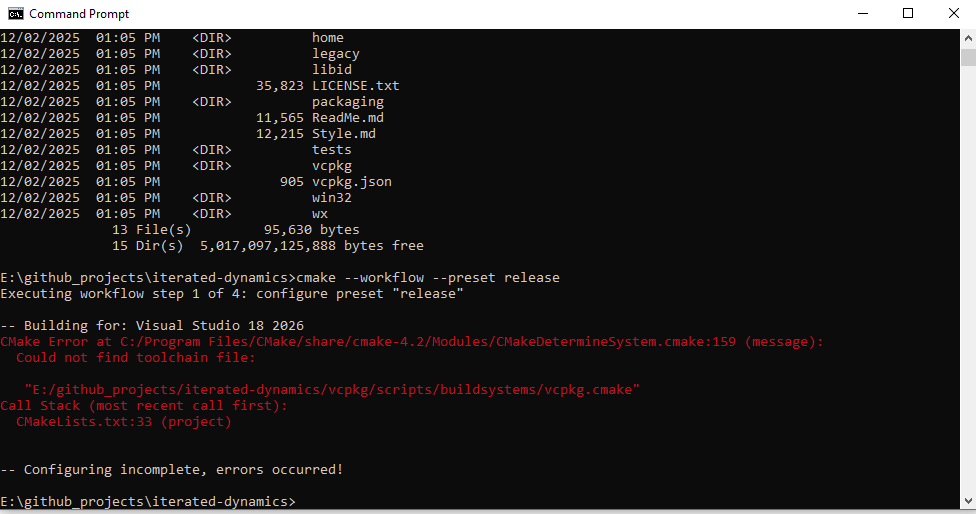
This isn’t exactly a tutorial, but I have full MSI and ZIP packaging for my github project Iterated Dynamics. As far as the command-line goes, it’s simply:
I can try and answer whatever questions you might have. The only difficult part is setting all the appropriate CPack variables/properties for the different generators (e.g. WiX, ZIP).
I do have the Community 2026 Visual Studio installed (would prefer 17 since that would support XP if needed but choose the hills one dies on)
I do have the vcpkg installed.
There is a non-Mingw non-WSL hunk missing. That’s what I haven’t found and need to document so a noob can start helping with BasisDoctrina.
Hope this is something obvious that can be answered off the top of your head.
I’m a huge believer in creating step-by-step documentation both for my projects and my book series.
Having come up through computer operations on real computers during the 1980s, I’m a big believer in batch files that accept a parameter list or ask a couple of questions then “just do it.”
No, I didn’t. I took your message verbatim. I still firmly believe there is something fundamental missing from the CMake chain though. Belief does not a fact make though.
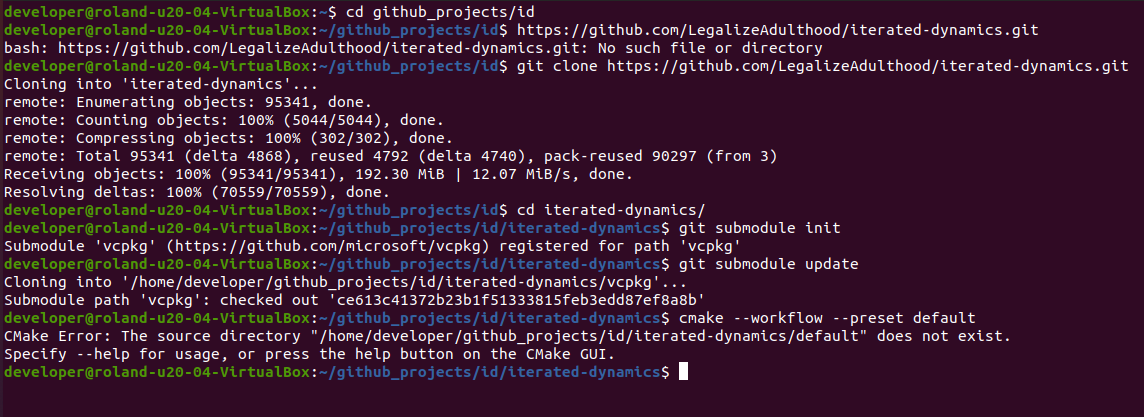
I have a question only because I saw supposed to support Unix. Spun up one of my Ubuntu 20.04 LTS VMs. Please forgive the initial paste oopsie in the following.