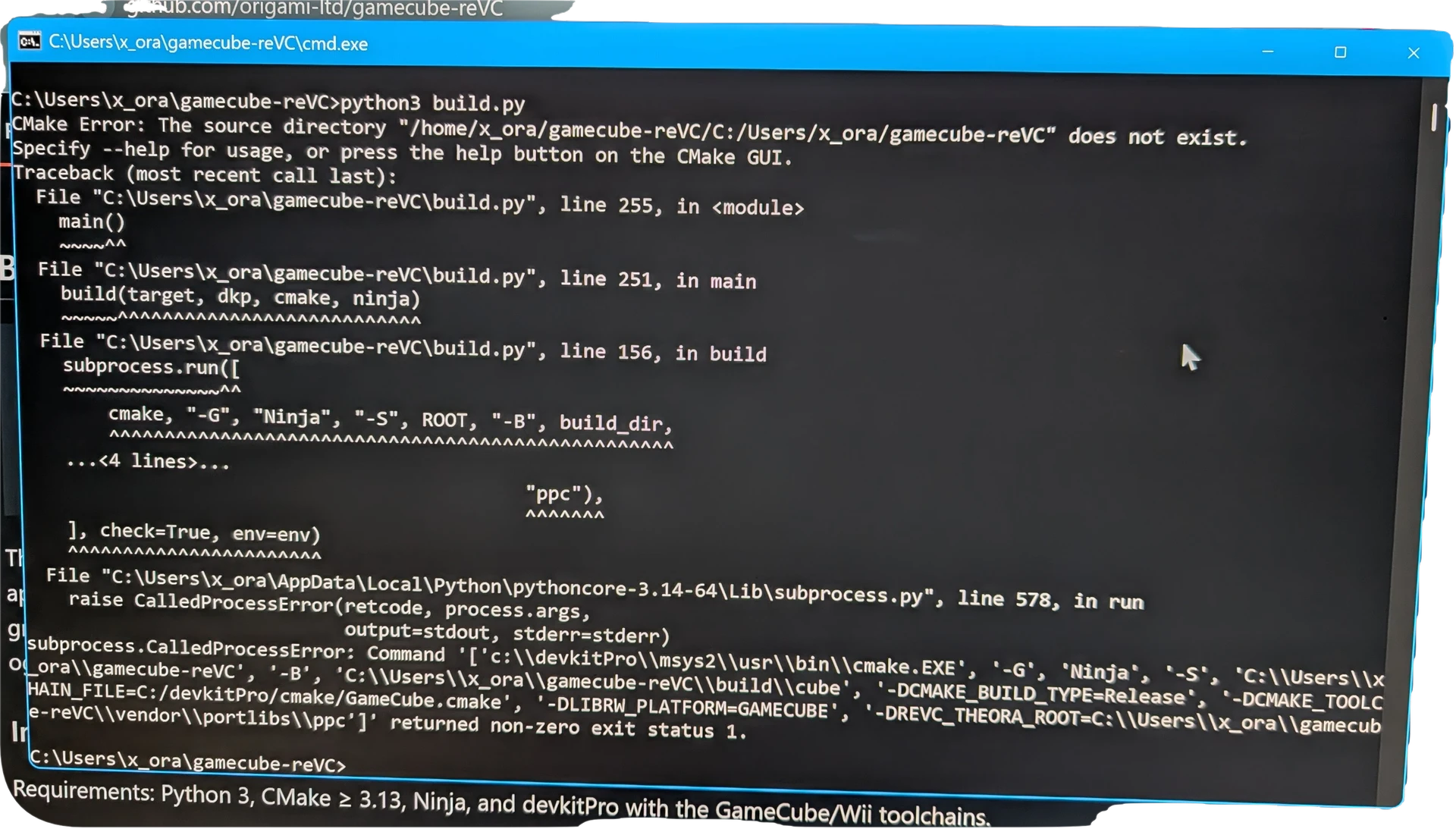
I’m not sure if this is the correct place or if this is allowed here. I have no idea where else to ask this because the internet is void of any success stories building this source.
A developer ported GTA VC to GameCube and released the source code to “build” the game from your own files. I followed the very vague instructions on his GitHub and I cannot for the life of me get it to build.
Instructions are
git clone --recursive https://github.com/origami-ltd/gamecube-reVC.git
cd gamecube-reVC
python3 build.py --setup    # installs the dependencies for your OS
python3 build.py            # GameCube DOL -> build/cube/src/reVC.dol
python3 build.py wii        # Wii dev DOL  -> build/wii/src/reVC.dol
I have installed the Python 3 and other dependencies, but when I run python3 build.py I get CMake Error … the source does not exist.
So you basically are saying tough luck. I’m not computer illiterate, but I do not code and I do not use Linux. The developer of this source code doesn’t make any distinction between “Linux steps” vs “Windows steps” and likewise couldn’t be bothered to elaborate. Just because people don’t use this OS or that piece of software doesn’t mean they’re incapable of utilizing it.
I looked through this forum for the error code and see people saying you need to change the source path for CMake. I tried cmake -S and the reVC directory containing the CMakeLists file but I still get errors.
Anyway, look over the guy’s instructions and tell me if it makes perfect sense. If it does, then it’s written to the minority of users.
I did not say that. I just told you that the provided information is insufficient to diagnose the problem.
You seem to use a mix of tools that use Windows paths and Linux paths (cycwin maybe).
The strange path in the first line does not make you wonder where it comes from? This has nothing to do with programming and maybe not even with that project.
The needed information: which tools (compiler, cmake, python) are involved and from which source?
The “git clone” command downloads the source from the dev’s GitHub and places it in my User folder on Windows (C:\Users\x_ora\gamecube-reVC). “x_ora” is the username and this path is correct.
First I installed Python Install Manager for Windows. Then I ran “python3 build.py --setup” which downloads and installs CMake and Ninja. After that I installed devkitpro and installed the GameCube and Wii toolchains as indicated.
After all of those are setup I run “python3 build.py” which is when I get the CMake source directory does not exist error. I’ve navigated TO the source code folder (where CMakeLists.txt is) within CMD before running any of these commands, so I am working within the correct folder I believe.
I am entering the commands within Windows CMD (command prompt). I’ve tried coping the CMD.exe to the directory and running it as administrator also without any change. I’ve tried using PowerShell. I’ve tried using MySYS. I’ve tried in Python. I get the same results in all of them with the exception of Python, which does not accept the commands at all.
Is there a hard coded directory that Cmake is expecting to work within that is NOT the same as where the files are cloned to?
devkitpro for Windows seems to use msys2. That may be where the /home/… path part is coming from. Thus, you could read this link: Using CMake in MSYS2 - MSYS2
Okay I installed the MinGW CMake but I had to install it with MSys2 UCRT64 terminal.
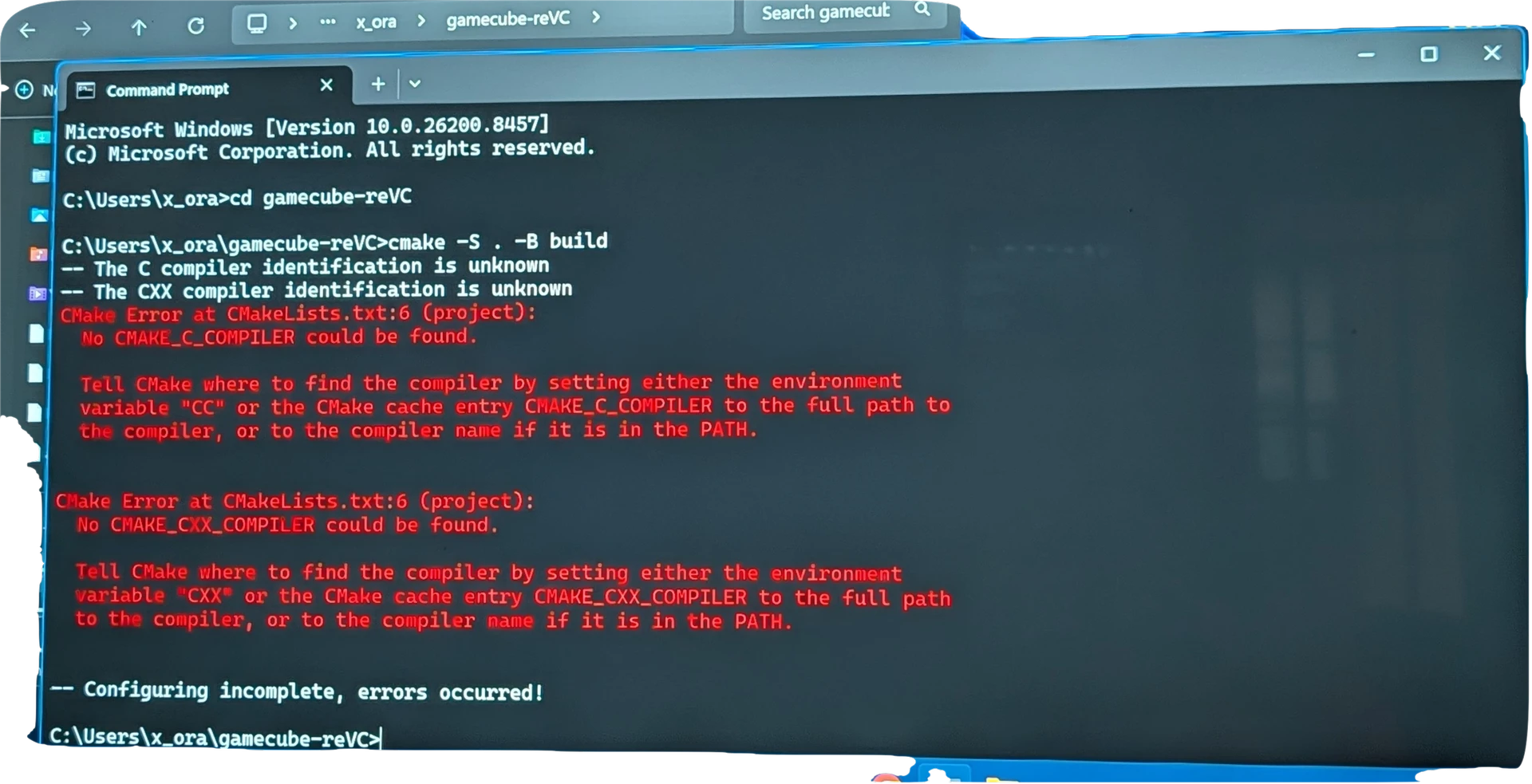
This made no real difference in the end. I can get around the original error by putting in “cmake -S . -B build” after navigating to the directory where the Lists file is. However, after this I get the following error
I tried once again running the build command within UCRT64 terminal but it didn’t get me any further than Command Prompt.
Something I’m very confused about is WHY I can’t run “python3 build.py” as instructed by the developer. This is the command that is supposed to be doing the work. Instead I’m having to try and circumvent it by using CMake commands.
I don’t know. This was all obviously put together ON Linux and meant to be compiled USING Linux. The Windows tool counterparts just don’t work with it.